Quick start
One month of your Immich library, cut into a film, on the box that already runs Immich. It works on a plain NAS, and this page sets up exactly that; a GPU or a model makes it better later.
You need: Docker with Compose v2, Immich v2 or v3, and for this container 4 GB of RAM, two cores and 25 GB of disk (Requirements).
1. Download two files
mkdir immich-memories && cd immich-memories
curl -O https://raw.githubusercontent.com/sam-dumont/immich-video-memory-generator/main/docker-compose.yml
curl -O https://raw.githubusercontent.com/sam-dumont/immich-video-memory-generator/main/example.env
cp example.env .env
mkdir output
output is where the films land. Create it yourself: if Docker makes it, root owns it, and the
container (UID 1000) cannot write there.
2. Set two values in .env
IMMICH_URL=http://192.168.1.10:2283
IMMICH_API_KEY=your-api-key-here
IMMICH_URLis your Immich as the container sees it: the NAS or server address, neverlocalhost.IMMICH_API_KEY: in Immich, Account Settings > API Keys > New API Key, permission All. The minimal list is on The API key.
While .env is open, fill in IMMICH_MEMORIES_TRIPS__HOMEBASE_LATITUDE and ..._LONGITUDE
with your home, in decimal degrees. It is optional for a first film, and it is what lets a holiday
be one trip instead of three weeks: Teach it your family.
3. Start it
docker compose up -d
docker compose exec immich-memories immich-memories models fetch
models fetch downloads about 140 MB of pinned models, once, onto the config volume: the image
encoder behind the eight context heads, the sensitive-content detector, the document
classifier and the WordNet dictionary. They run on your CPU; no picture leaves the box.
4. Cut a month
Open http://localhost:8080. On a headless NAS, tunnel first:
ssh -L 8080:localhost:8080 you@your-nas, then open the same address on your desktop.
The page connects to Immich by itself. Pick Monthly Highlights, a month with a few hundred pictures, and press Cut.
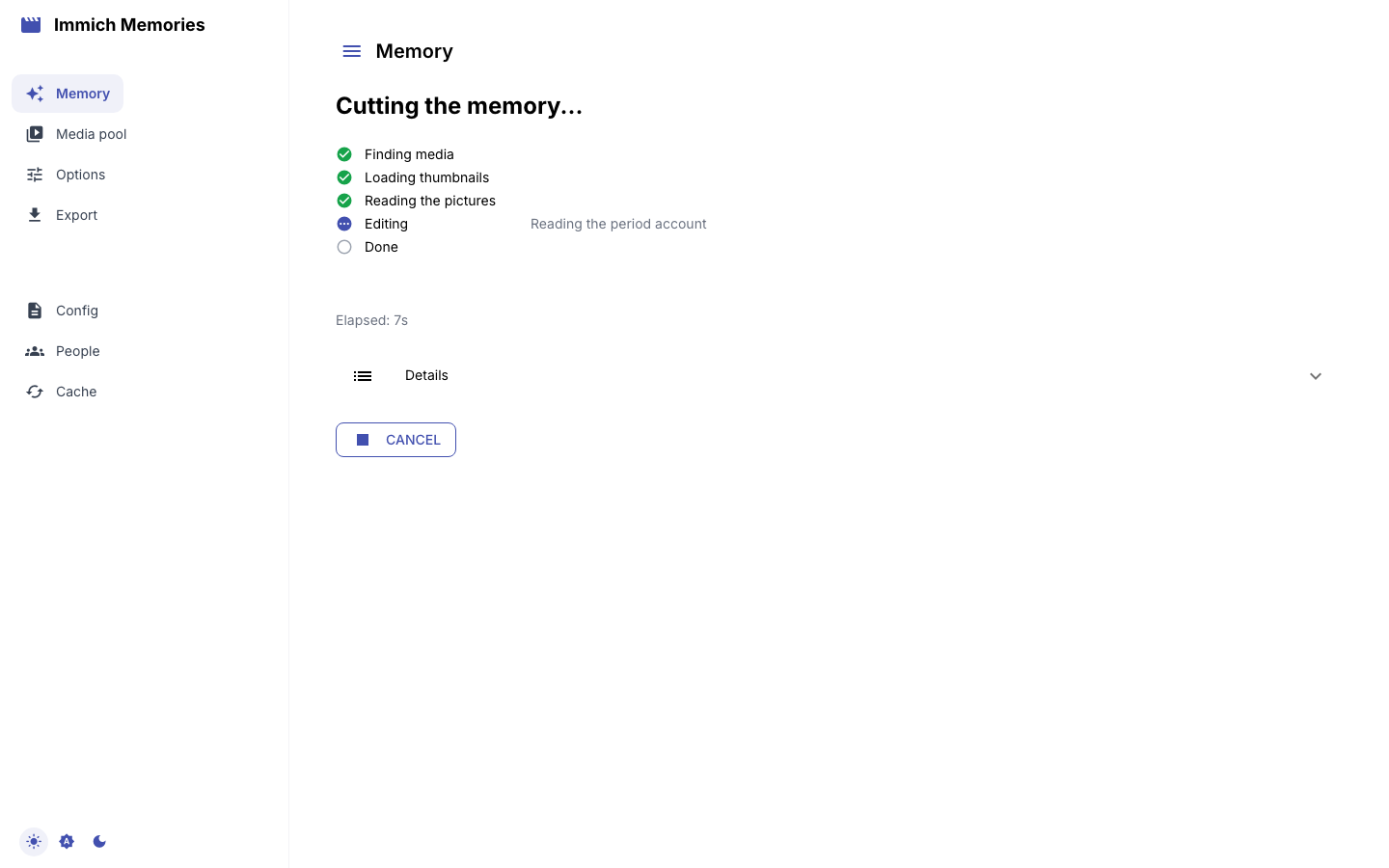
The first cut reads every picture the film can reach once and banks what it saw, so it takes a while on a NAS CPU. Every later cut of that month skips the reading.
When it finishes you get the review: the film in the order it plays, one picture per shot, with its day and why the editor kept it.
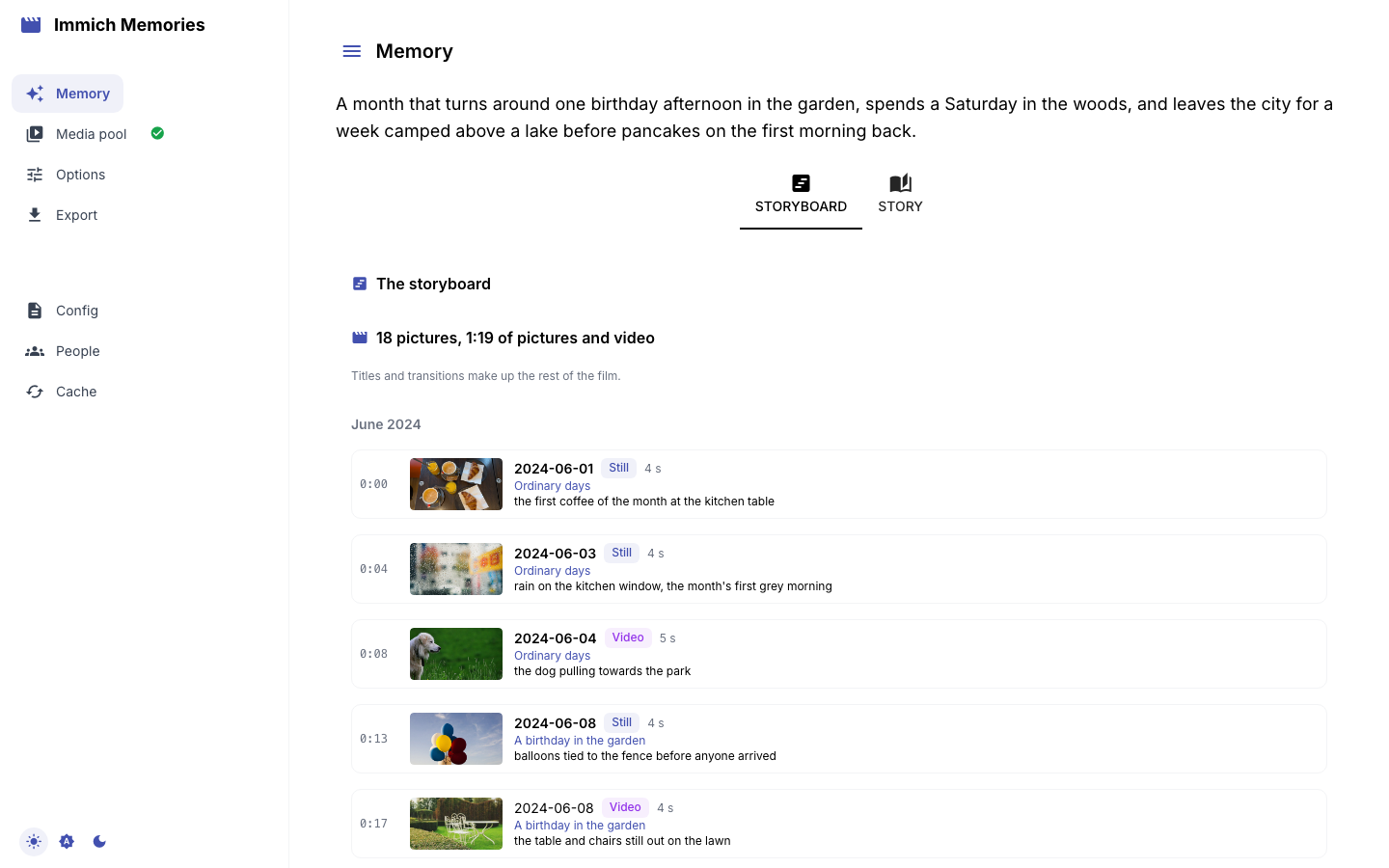
Press Render at the bottom of the page. The film is in ./output, and in the player on the page.
That's it. The CLI does the same in one line:
docker compose exec immich-memories immich-memories generate --memory-type monthly_highlights --year 2025 --month 6
If it stops
A cut checks the models and the output folder before it asks Immich for anything:
Pinned DINOv2 export missing ... Run immich-memories models fetch: step 3.Output directory is not writable:sudo chown -R 1000:1000 output, then cut again.- Can't connect to Immich:
IMMICH_URLis wrong or useslocalhost. Fix.env, thendocker compose up -dto recreate the container.
docker compose exec immich-memories immich-memories preflight checks all of it at once.
Where to go from here
- Your first film: read the storyboard, fix a cut with two clicks.
- Teach it your family: home base and who's who, the two steps that make the cut good.
- On a NAS: Synology output folder, the CPU limit trap, hardware encoding.
- What a GPU or a model adds: captions, a second family-viewing check and a model's polish, feature by feature.