The web UI
immich-memories ui serves the web client at /app. It looks like Immich because it is built on
Immich's own component library, and it does nothing the CLI cannot: every button runs the same
command you could type, and the page shows you that command. What the browser adds is the review.
You see the cut as a contact sheet, read why each picture is in it, change it, and only then render.
The sidebar holds Memory, Suggestions, Runs and Settings; on a phone they sit in a
bar at the bottom instead. The theme button at the top right switches between light and dark, remembered in this browser;
until you use it the page follows your system. Screenshots on this page
come from a hermetic run over the CC0 fixture library (tests/e2e/fixtures/library, credits in its
CREDITS.md), never a real library.
Signing in and languages
With auth configured the client opens on a sign-in page: a username and password for basic, a
button to your identity provider for oidc, nothing at all behind a proxy that signs you in with a
header. Sign out is at the top right. Setup: Authentication.
The interface follows your browser's language. The Interface language select at the top overrides it for that browser only; Automatic (browser) goes back to detection. It speaks English, French, Dutch, German, Spanish, Italian, Brazilian and European Portuguese, Polish, Swedish, Russian, Japanese, Simplified Chinese and Korean, with English wherever a translation is missing. The translations are AI-drafted and corrections are welcome.
The interface language never changes the film's. Titles and captions follow title_screens.locale
(Titles, maps and music).
With server.enable_demo_mode: true, an eye button next to it is Demo mode: it blurs every
picture on screen, for a screen share (Privacy). It only changes what this
browser shows; the film is untouched (for a film that blurs, see Privacy mode under
Render).
Make a memory
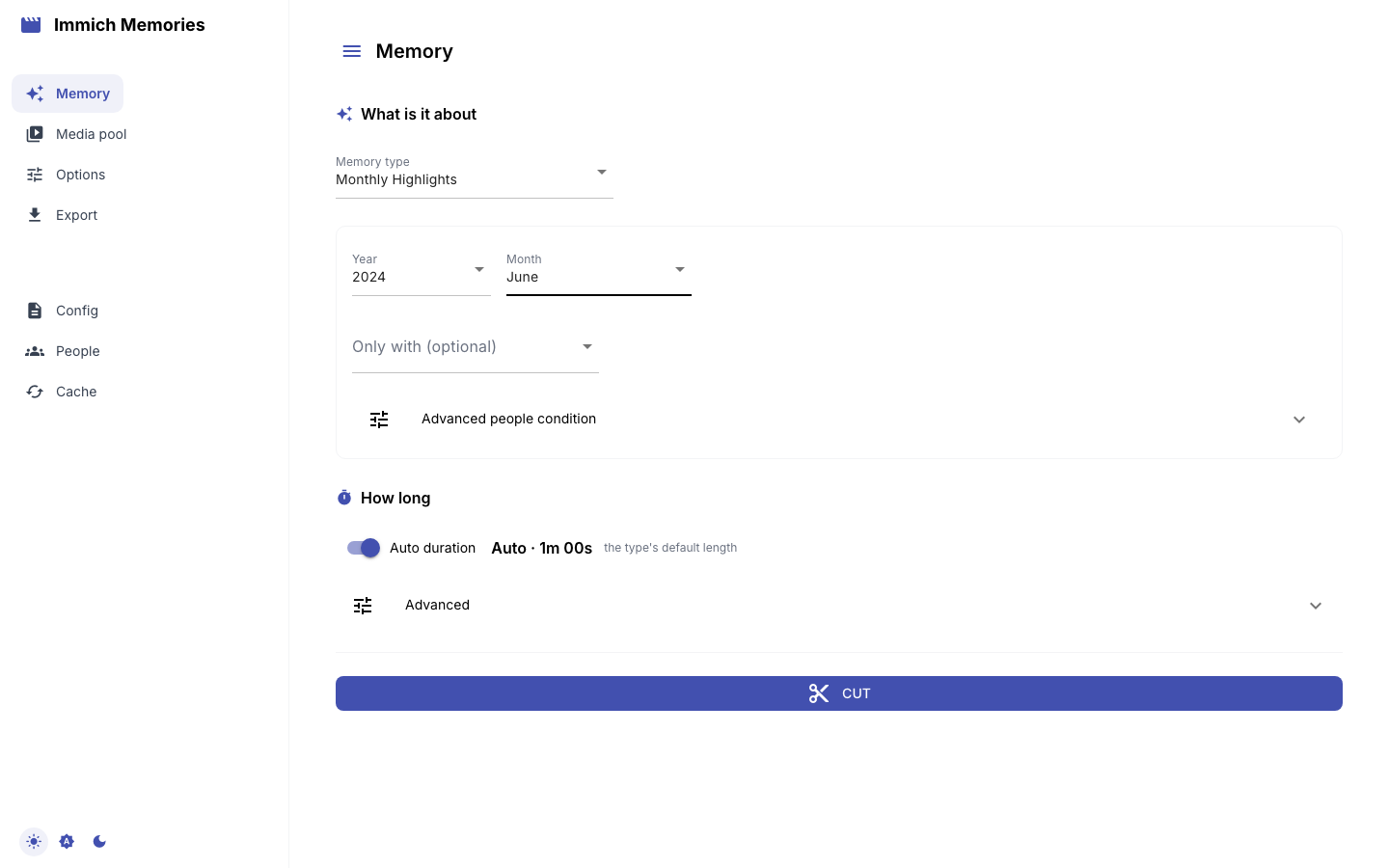
Memory is the brief. Pick a type, fill in what it asks, and press Cut. The grey line above
the button is the exact generate command the server is about to run, updated as you type. Copy it
into a terminal and you get the same cut.
| Type | Asks for | Default length |
|---|---|---|
| Monthly Highlights | Year, Month, Only with | 1 min |
| Year in Review | Year, Only with | 10 min |
| Season | Year, Season, Hemisphere, Only with | about 3 min 15 s |
| Person Spotlight | Year, Person, Birthday to birthday (then Birthday and Years back) | 10 min |
| Multi-Person | Year, People (two or more) | 10 min |
| On This Day | Day, Years back, Only with | 45 s |
| Album | One of your Immich albums | 30 s + 10 s an active day, 60 to 300 s |
| Trip | Year, then one of the trips found in your GPS, or every trip | 30 s + 10 s an active day, 60 to 300 s |
| Holiday | Year, Holiday, Years to span, Only with | 1 min |
| Special day | A day from the discover-days catalogue, or any date | 30 s + 6 s an active hour, 60 to 180 s, at least 30 s of pictures |
| Custom date range | From, then Ends: On a date (To) or After a period (6m, 1y, 2w), Only with | 1 min for a month, up to 10 min for a year |
What each type covers: Memory types. Birthday to birthday, with earlier
birthdays turns a spotlight into a birthday compilation: the year runs from one birthday to the
next, and Birthday takes an MM-DD when Immich holds no birth date for them
(Birthday compilations). The length is fitted to what the pictures
can fill, the same rule as generate without --duration: a month with three photographed days gets
about 20 s. Length and pictures takes an exact length in minutes instead (titles included; a trip's map moves run on top, see
Maps and film length), and
holds the pool switches: photos, Live Photos, the seconds a photo stays on screen, whether
forwarded and downloaded media count, and who may see the film. The rule: How long a film runs.
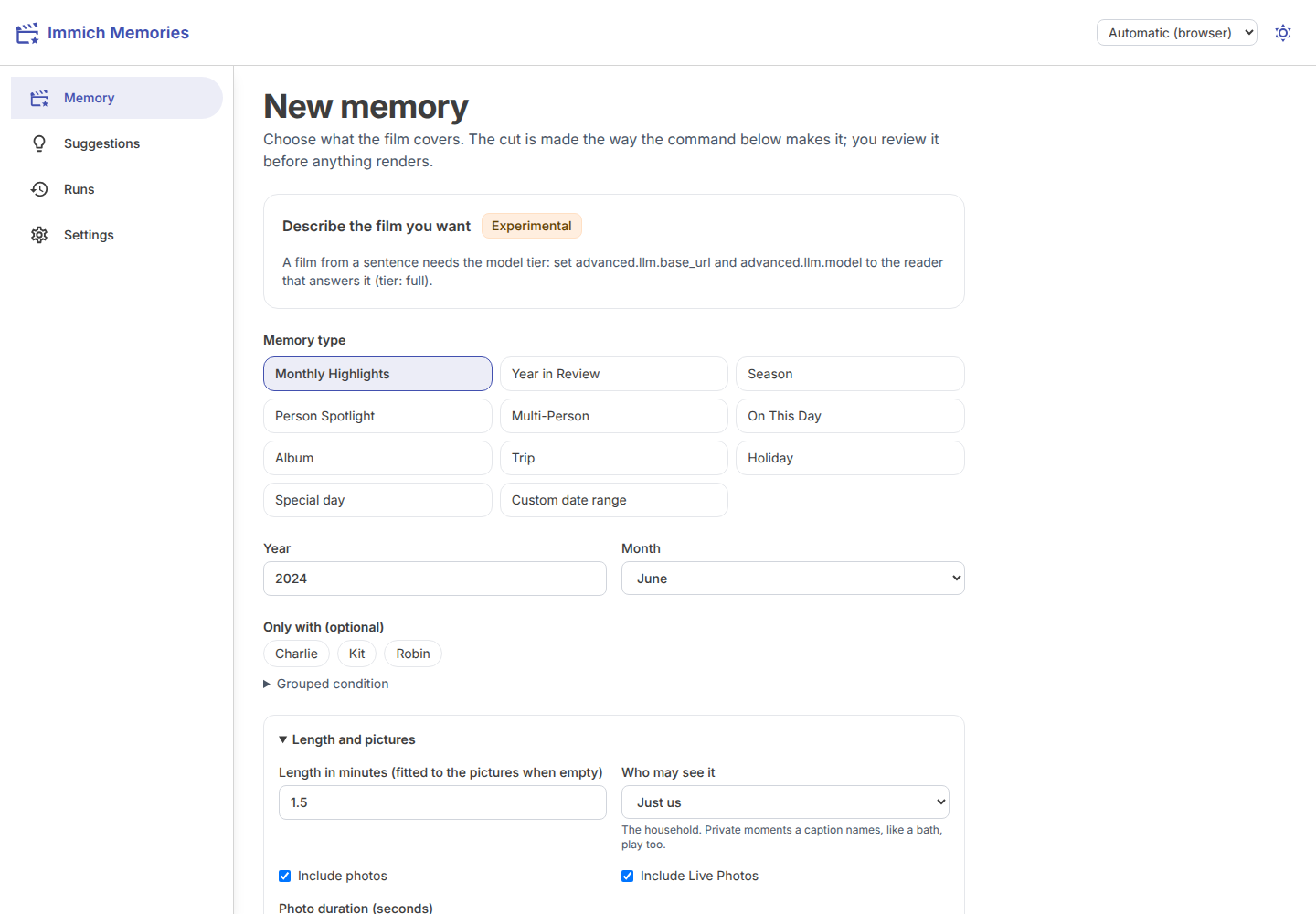
Who may see it, in the same panel, is the sharing level: Just us (the household; private
moments a caption names, like a bath, play too), Family or Shareable (only what nothing held
back). As configured follows defaults.sharing, which is Family out of the box. The rules: Sharing levels.
People
The names come from Immich's face recognition, so only named faces appear. The chips put the people
with the most pictures first, with their count, and show the top sixteen; type in the search box to
find anyone else. Person Spotlight takes
one, Multi-Person two or more, and the date-range types (month, year, season, on this day,
holiday, custom range) have Only with (optional). Album, Trip and Special day take no names. With two
names, Pictures with asks whether you mean all of them together (--person repeated) or any
of them (--person-match or).
Grouped condition takes quoted names with AND, OR and parentheses, like --people-expression:
("Robin" OR "Kit") AND "Charlie". It replaces the names above rather than adding to them, and the
command line shows which one the cut will use.
Saved groups are a shortcut for a condition you reuse, "the kids", say. Give one a label and an
expression in the same grammar on the People settings page (below), and its card shows up here:
pick it and the film's people are exactly what generate --group would give. Picking a card clears
the names and the grouped condition above, the same way typing an expression does.
If a second Immich account is configured (immich.accounts in the config file,
the household case where two people upload to their own accounts on the same server), Immich
accounts to read lists it as a chip next to the people picker. Nothing is added to the film's
household by default: leave every chip unpicked and the film reads the primary account alone, as
--accounts does on the command line.
With two names or more, a person recognised once in an episode counts in all of its pictures, so the pool shows those pictures too, marked Same episode: untick any that are not really about them.
Trips and special days
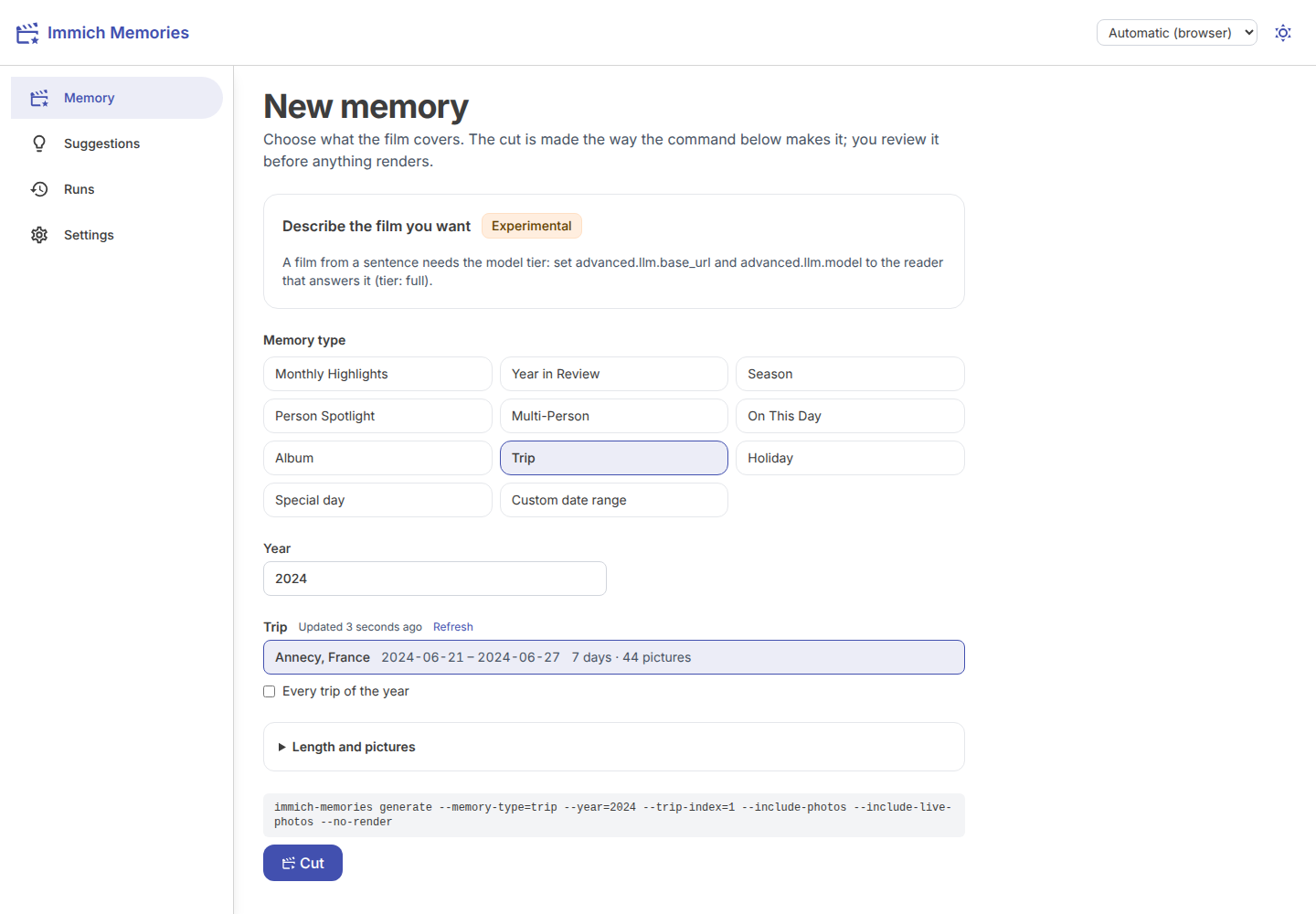
A Trip lists the trips found in the year's GPS, with their dates, length and picture count, the
same list generate --memory-type trip prints. Finding them reads the whole year from Immich, so the
server keeps the last list for a day and works out a new one in the background: the list shows at
once, with when it was found, and Refresh asks for a new one. A trip is named after the town that
holds more than half its pictures, the region only when no town does. Pick one, or Every trip of
the year. Cut stays greyed out until you do, because a trip brief without one only lists them.
A Holiday offers the known holidays first, then the other public holidays of the country your
home base is in (trips.homebase_*), by the calendar's own name; each falls on the date that country
keeps it. Another day (MM-DD) takes a household's own day.
A Special day lists the Catalogued days that discover-days keeps in the store, anniversaries
due first. A scheduled run only proposes a day on its anniversary; here you can pick any day the
catalogue holds, or type any date into Day. With no catalogue yet, the page says to run
immich-memories discover-days.
A film from a sentence
On tier: full (a configured reader), Memory opens with a box: Describe the film you want.
Type what you want to see ("our cat along the years"), then press Preview. That runs
generate --ask "..." --dry-run on the server and films nothing. It shows:
- the verdict: Possible, Thin (fewer than 12 pictures fit, so a short film) or Not possible (no film, and the line under it says which filter emptied the pool)
- the pool: how many pictures, photos and videos fit
- what the editor's rules would drop: each rule with its count and up to 3 thumbnails, then the rules only decided while cutting and the ones a film you asked for does not apply (Which rules would drop pictures)
- the trace, one part at a time: how it read your words, who, when, where, what, what the library measures, the pool step by step, and the verdict
Make the film only shows up when there is something to film. It runs the same cut as the CLI
(generate --ask "..." --no-render) and you review it like any other cut. Edit the sentence and the
preview greys out: preview again before filming.
Below tier: full the box says the model tier is needed instead. The feature is highly
experimental (the Experimental badge links to its page): A film from a sentence.
The cut in progress
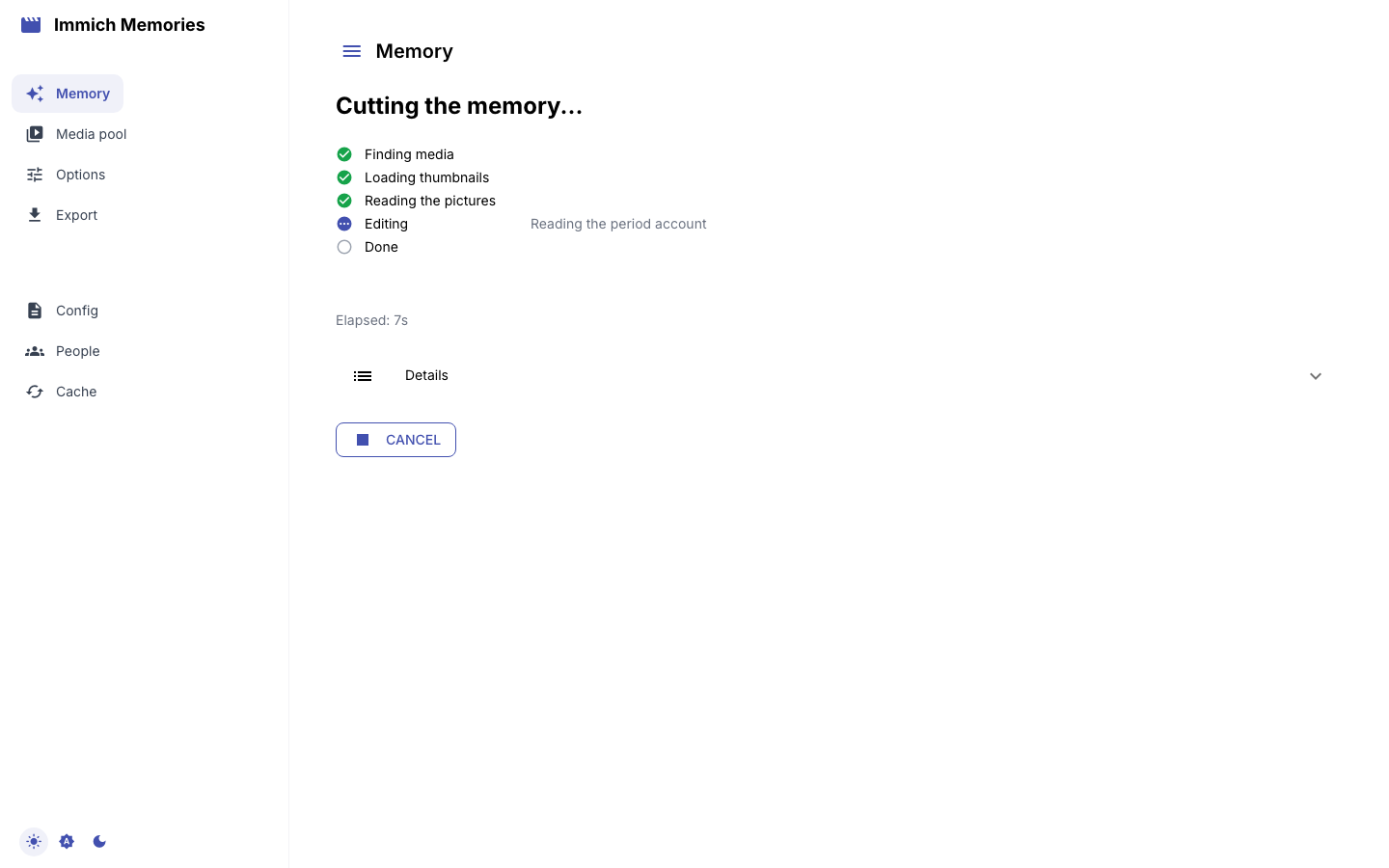
Cut runs generate --no-render on the server. The panel shows the stage, its count and the last
pictures it read. With a previous completed run, the bar and time left cover the whole cut: saved
stage times scale to this picture count, and the current stage uses its measured speed. Without
history, the total time stays unknown, so the bar follows the current stage and the panel shows the
time left in that stage. On a library that has never been read, Reading dates, places
and people is the long one; a later cut over the same pictures reuses what it banked. The stages:
From library to film.
Copy as CLI command copies the command the job runs. The cut runs on the server, not in the tab. Reload, close the laptop, come back: the page finds the
running cut and follows it again. Cancel stops it. A cut that fails shows the command's own last
lines, and keeps showing them after a reload, because they usually name the command that fixes it
(immich-memories models fetch on a fresh install). One job runs at a time.
When the cut is done the page opens its review.
Review the cut
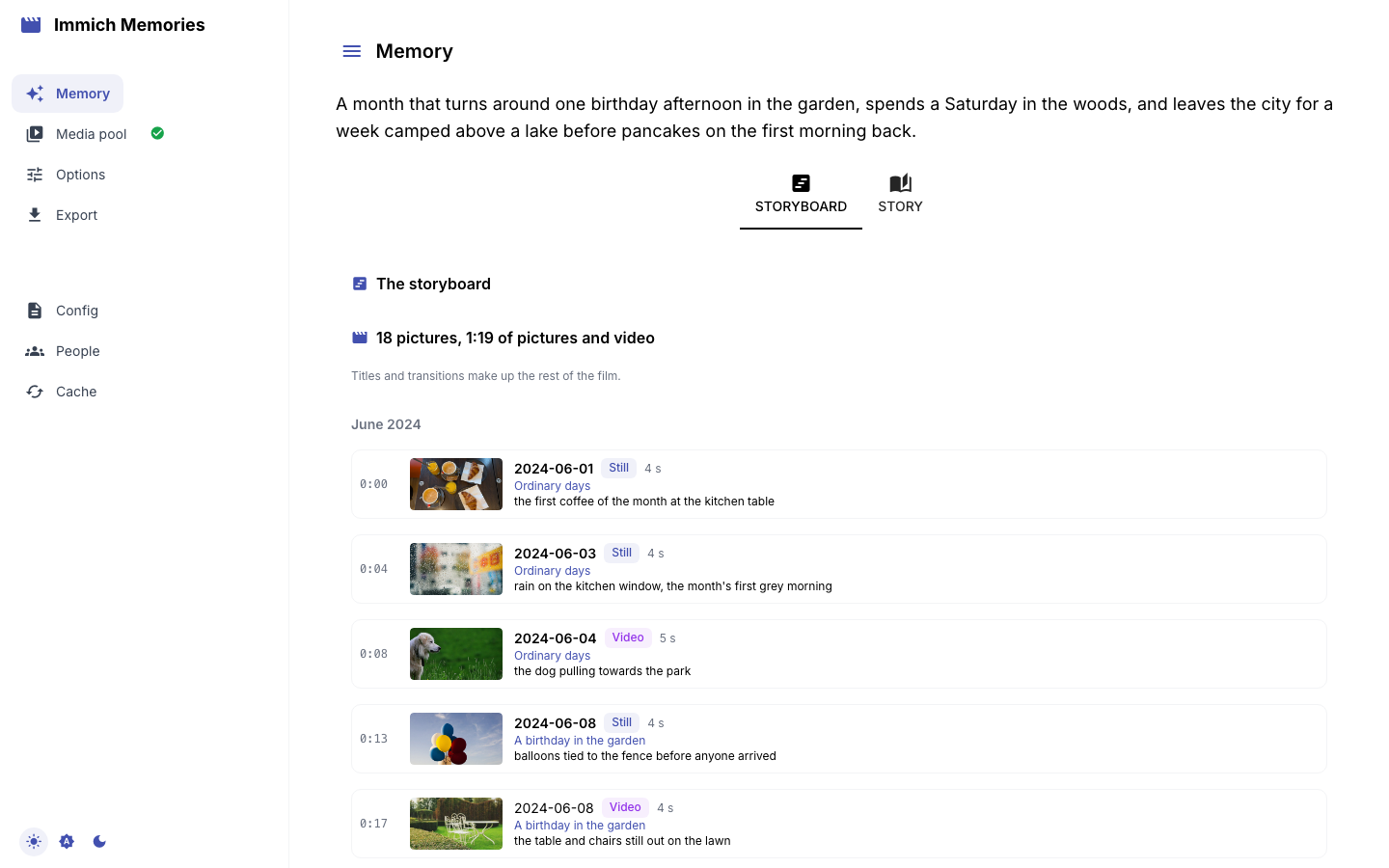
The review opens as a Contact sheet: every picture in the order the film plays it, uncropped, with its number, day, timecode, screen time and the editor's one-line reason. Videos and Stills filter it, and the arrow keys walk it. The thesis the editor wrote sits above.
Open a picture and the inspector shows it large; a video plays exactly the stretch the film uses, on a loop. Under it:
- Why this picture: the editor's reason, the line
runs storyprints. - How the rules got here: the passes it went through and where it was kept, in the words
runs whyuses. - Other pictures of this moment: the rest of the moment, with what became of each in this run. Open one to see it beside the picture in the cut.
- Model polish: what the model said, which rule overruled it, the picture a swap replaced and any alternative it offered, with the outcome. A cut no model read says so: the rules chose every picture, which is what the NAS tier does.
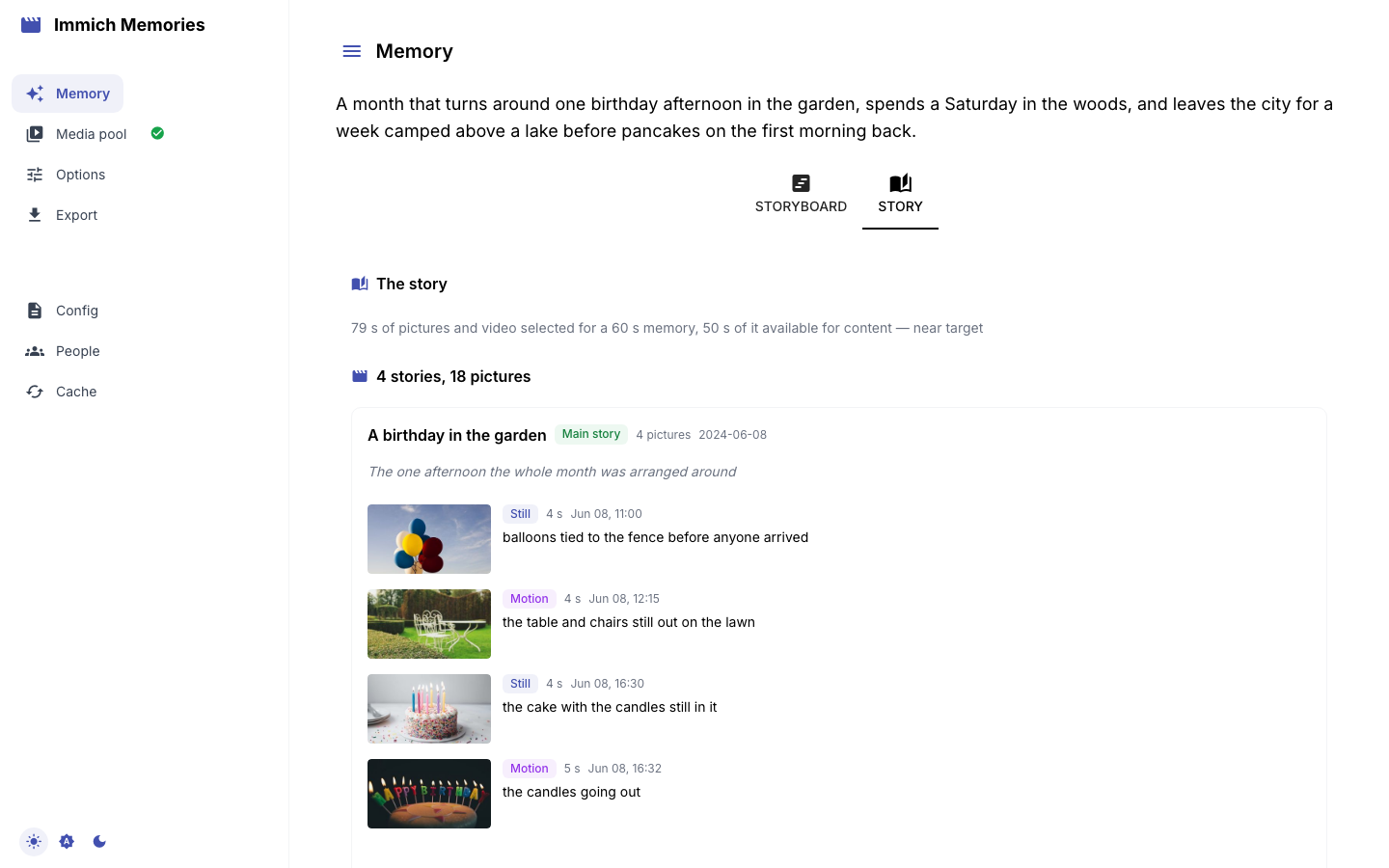
Stories shows the same cut the way the editor weighed it: stories heaviest first (Main story, Important, Supporting, Small moment), each with its purpose and the pictures that carry it. Click a picture to open it in the inspector. A cut made on a reduced preparation tier says so under the thesis. The words: Glossary.
Change it
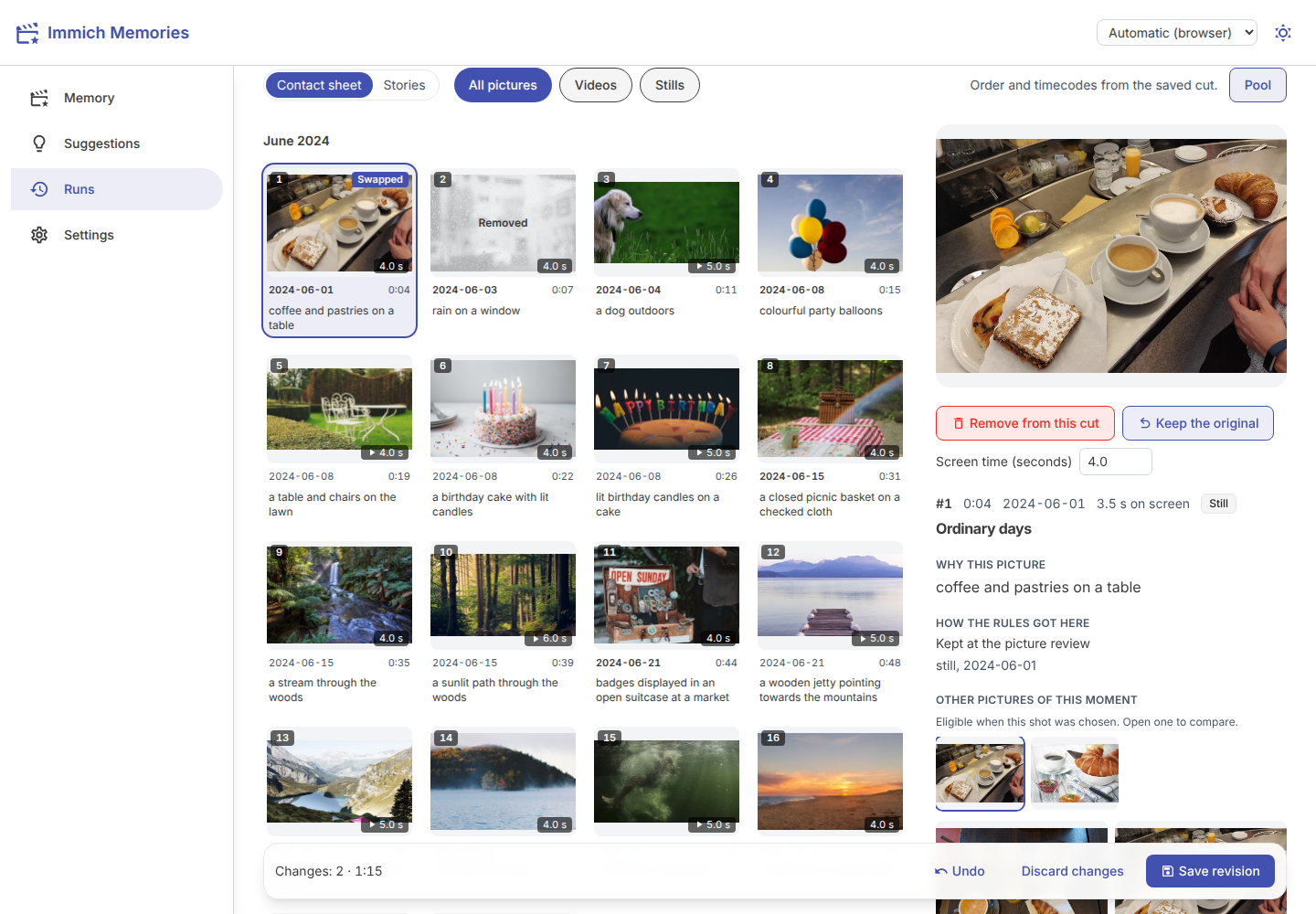
Every shot can be edited from the inspector:
- Remove from this cut takes it out; Put it back undoes that.
- A video trims with Start here and End here at the player's position. A still takes a Screen time.
- Use this picture instead, on another picture of the same moment, swaps it in.
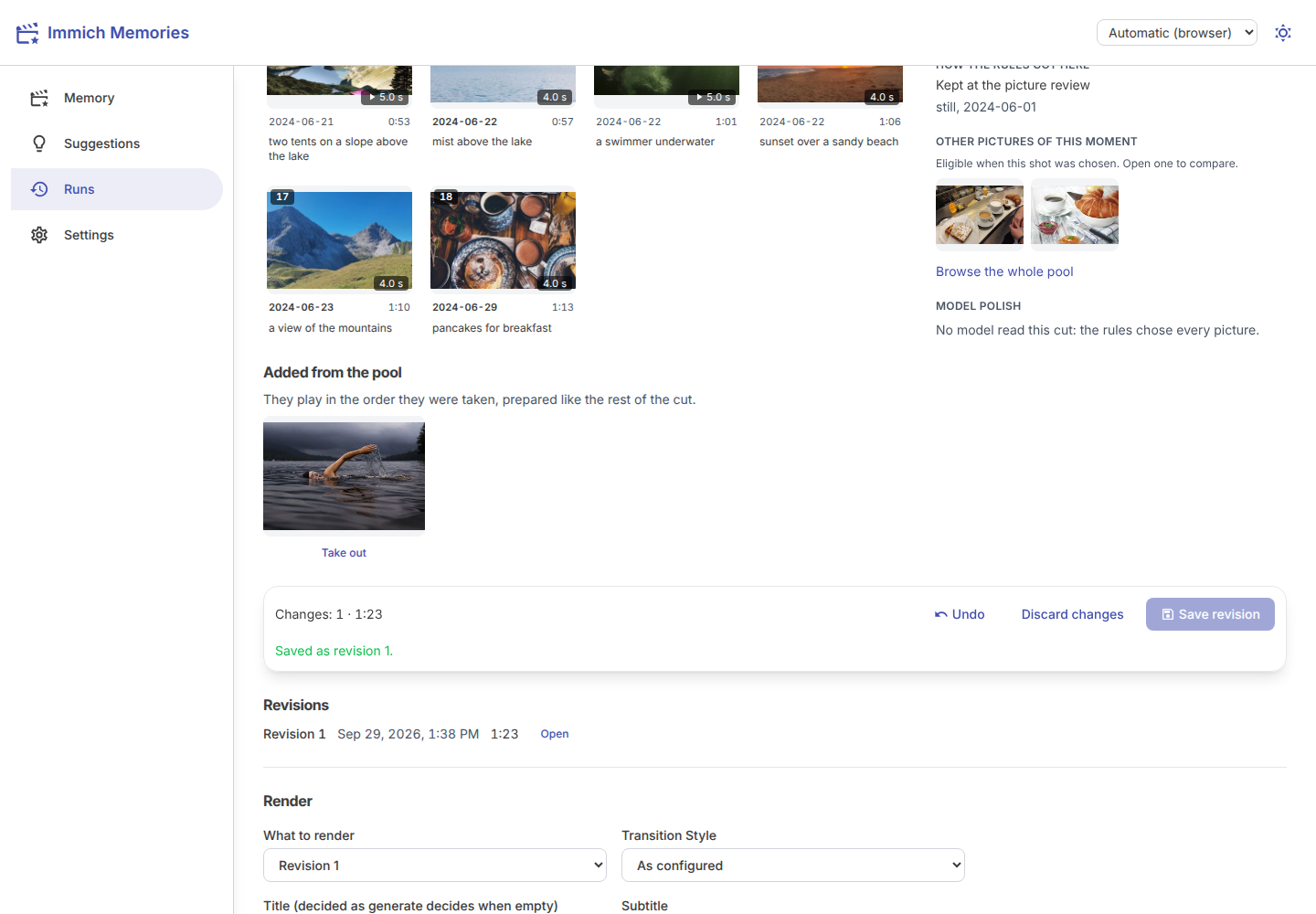
Keep the original undoes a swap. The sheet marks removed and swapped shots. A bar at the bottom counts the changes and adds up the seconds; past what the titles left, it says the film grows to hold them. Your edits are the last pass, so length never refuses one. Undo (or Ctrl/Cmd+Z) walks back one change; Discard changes drops them all.
Save revision keeps the edits as a numbered revision beside the run
(revisions/0001.private.json in its attempt folder). It only refuses what the renderer cannot
play, like a trim past the end of a video, and says which edit. Revisions lists every saved
one; Open loads it back into the editor.
Pictures you ticked in from the pool show under Added from the pool, in the order they were taken, each with Take out. None of this reruns the editor, and neither does the pool (Pool at the top of the review, or Browse the whole pool in the inspector).
The pool
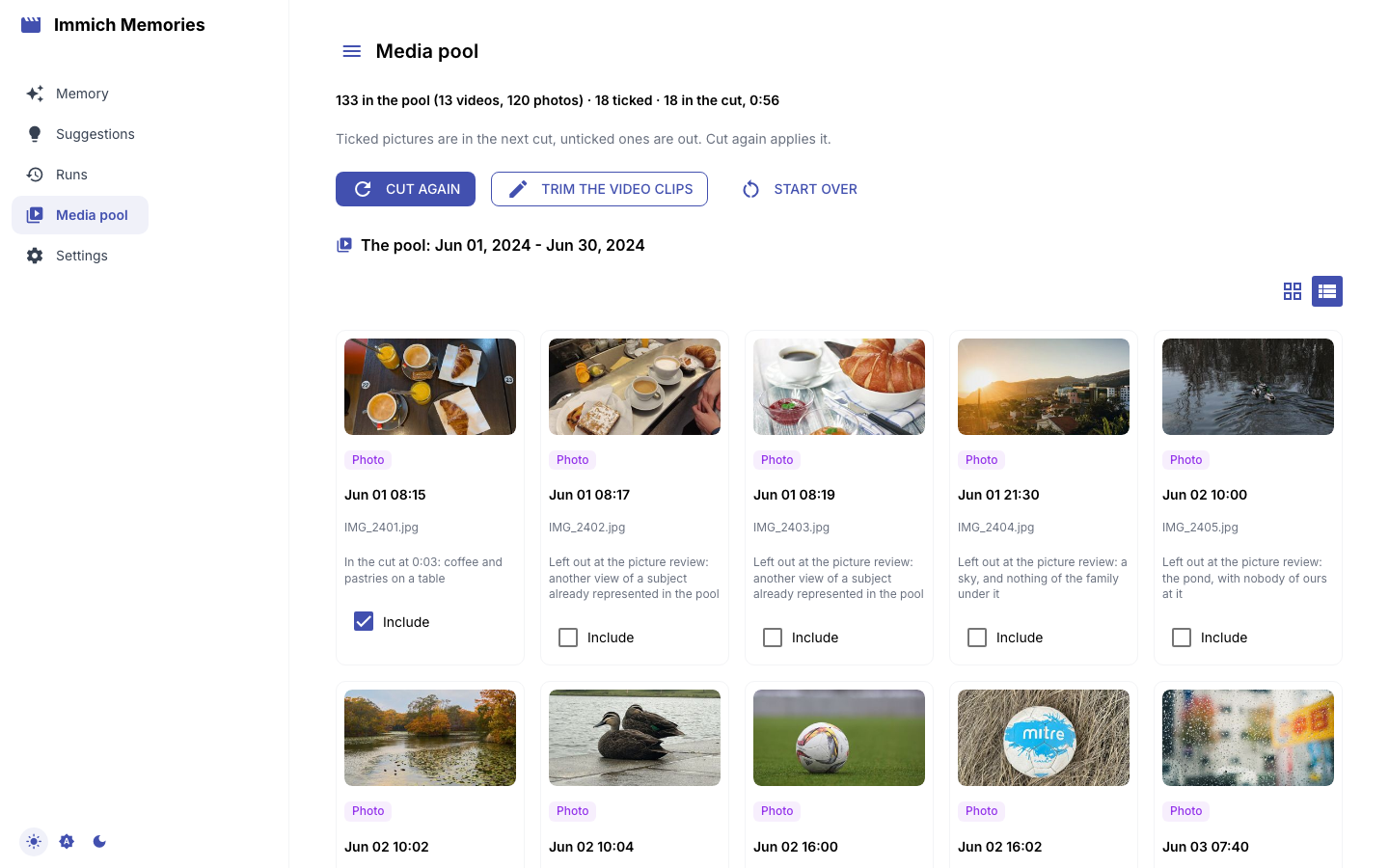
Pool shows every picture the cut saw, once each (a shared album's downscale or a forwarded copy
is its full-size file, see Duplicates), in capture order, each with what became of it (In the cut
with its reason, or where and why it was left out; runs why reads the same line) and an In the
film checkbox. Untick a picture the cut kept and it comes out; tick one it dropped and it goes in,
at the time it was taken. Preview with these choices saves the ticks as a revision of this same
cut and opens it, ready to render. Nothing is chosen again, so it takes a second, not a cut.
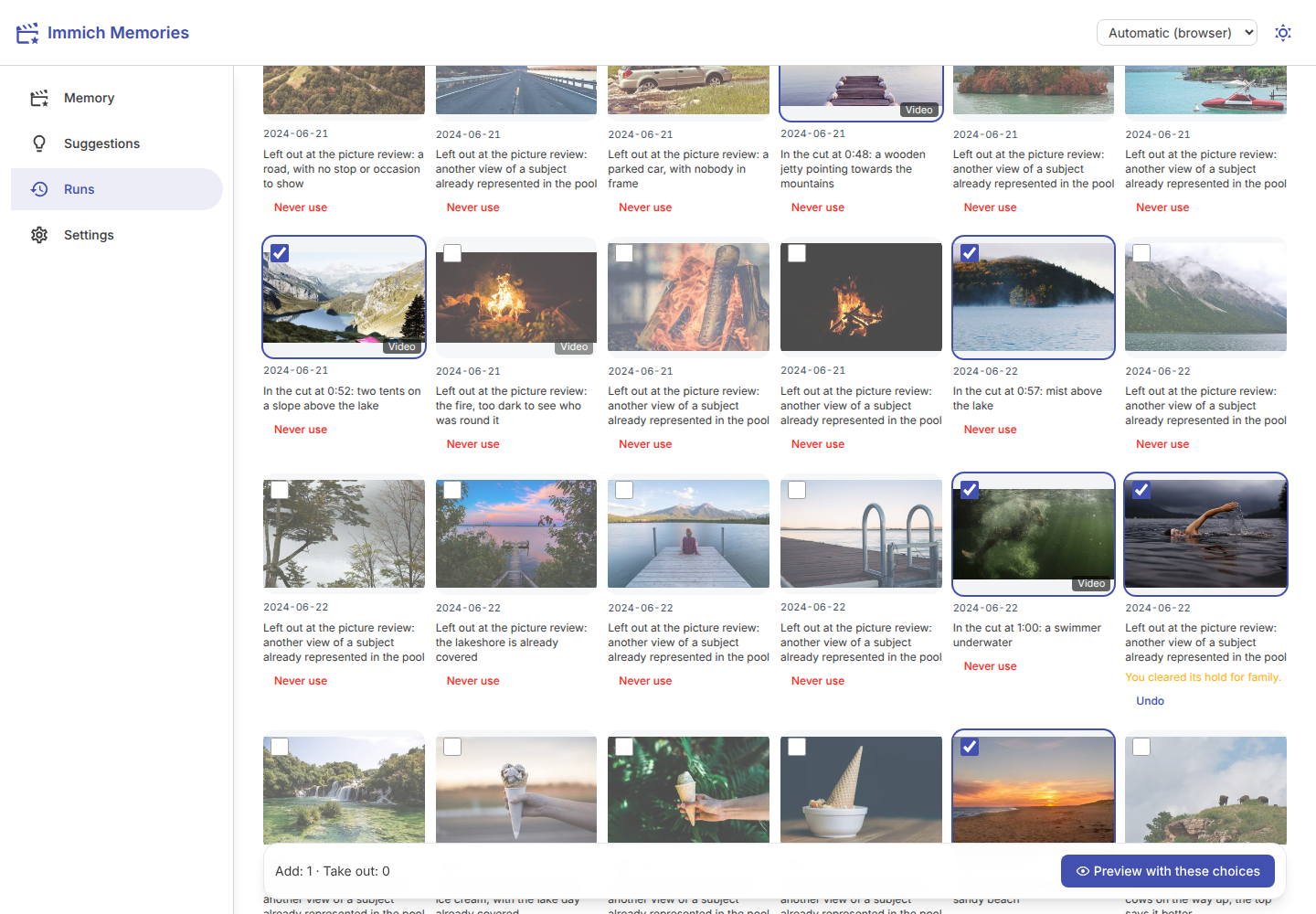
The ticks are your decision, and the film plays them as they are: longer or shorter than the cut, a held picture included. The only work left is making each one playable the way the cut's own shots are. A photo holds as long as the cut's stills, a video plays from its start as long as its moving shots, and a Live Photo plays its stitched motion (or its still, when the motion can't be stitched). Trim any of them in the review before you render.
The pool opens on this memory's own pictures: the ones the editor was given. A spotlight's editor only gets the pictures its person is in, so the rest of the year stays out of the list. Also show the pictures outside this memory brings them back, and you can tick those too.
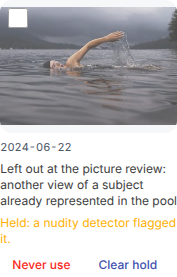
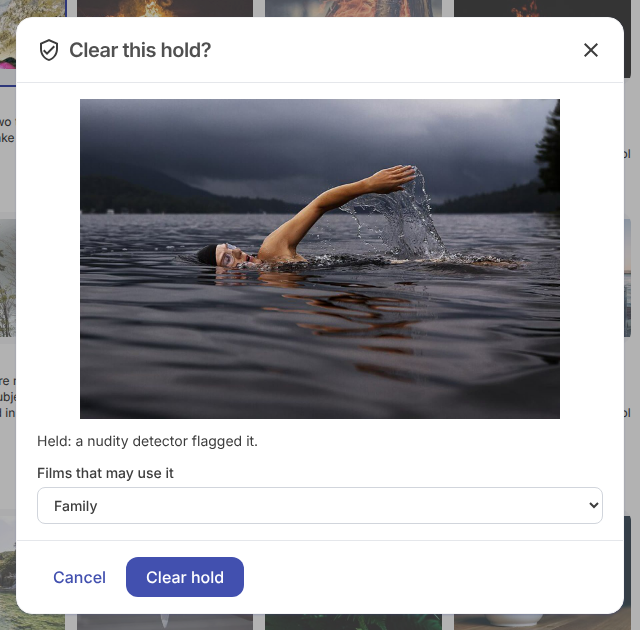
Two buttons last across every run, unlike ticks. Never use keeps a picture out of every film from now on. Where something holds a picture (a nudity detector, or a caption an earlier cut read as private) the tile says what, and Clear hold lifts it, after showing you the picture and asking how far it may go: Just us, Family or Anyone. Undo forgets either.
More ways to overrule the editor: Overrule it.
Render
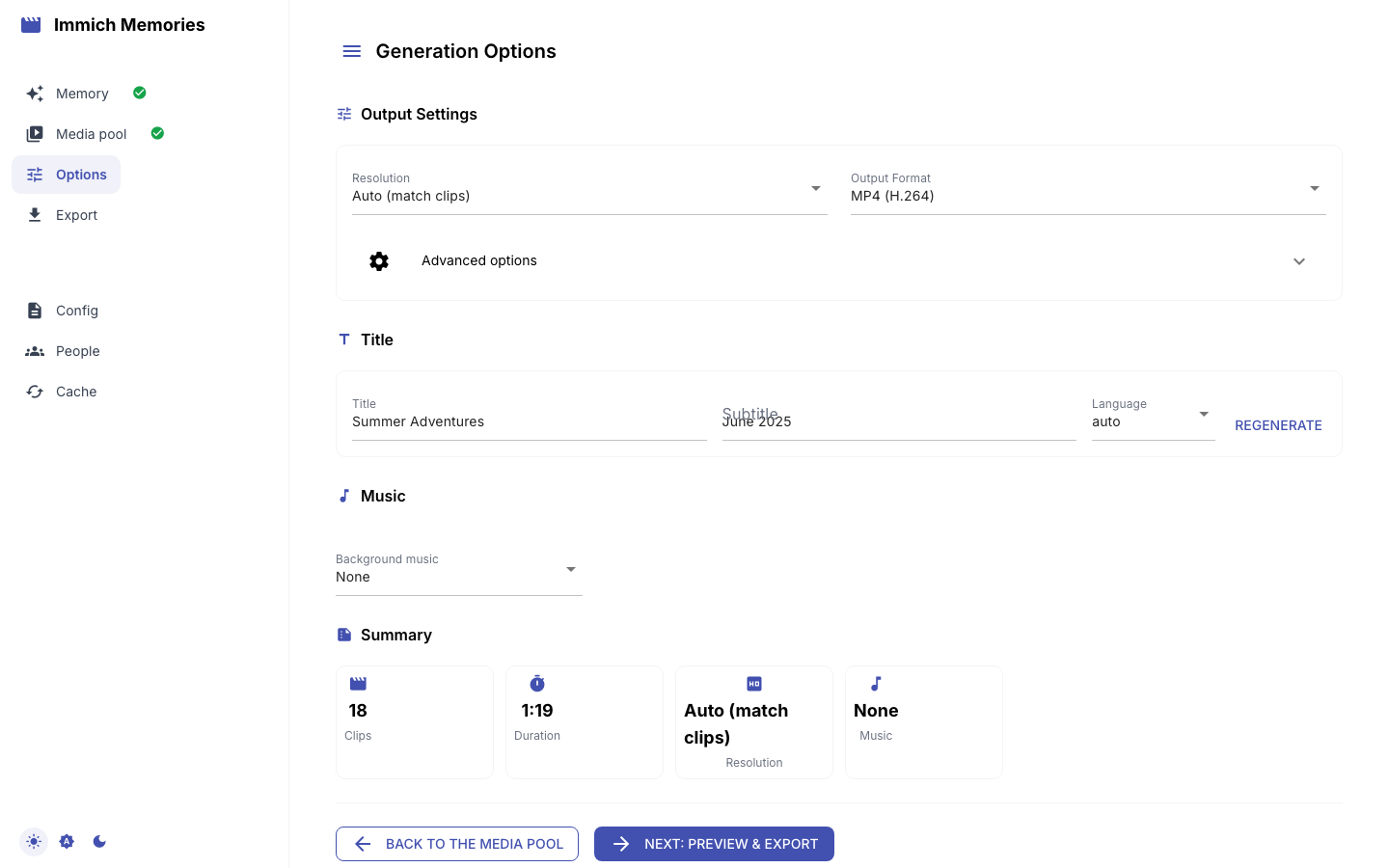
Render runs runs render on the cut, or on one of its revisions (What to render). Nothing is
selected again: the film plays exactly the reviewed cut. Every option defaults to your configuration
(As configured):
- Resolution (Match the sources, 4K, 1080p or 720p), Format (H.264 or H.265 MP4, ProRes MOV), Quality (High, Medium, Low), Orientation (Automatic follows most of the kept clips; Landscape, Portrait or Square; Portrait with a short length is a vertical short) and Scaling Mode (Blurred background or Fit with bars; clips are never cropped).
- Transition Style (Smart (fades and cuts), Crossfade, Cut or None), Add date overlay and Caption clips with their place (ticked as
defaults.add_dateanddefaults.add_placesay, both on out of the box, the same rulegenerateand automation follow; untick to leave one out of this film), and Privacy mode, which blurs every picture and scrambles names for a public demo. A place caption is Immich's place name. Withnetwork.geocodingon (Settings, Network), it names the district rather than a neighbouring town, in the film's language, through the public Nominatim or your own (network.geocoding_url). See Titles, maps and music. - Title and Subtitle. Leave the title empty and Who names the film decides: as
generatewould, the model, or the dates and places only. - Music: Automatic (as configured), No music, Preview a track made for this cut from its mood (listen before you render; offered when MusicGen or ACE-Step is configured), or Upload a track (MP3, M4A or WAV). Music volume sets the mix. See Titles, maps and music.
- Upload the film to Immich, into an Album name. It is the one write this app makes to Immich:
the film, tagged
immich-memories/generated.
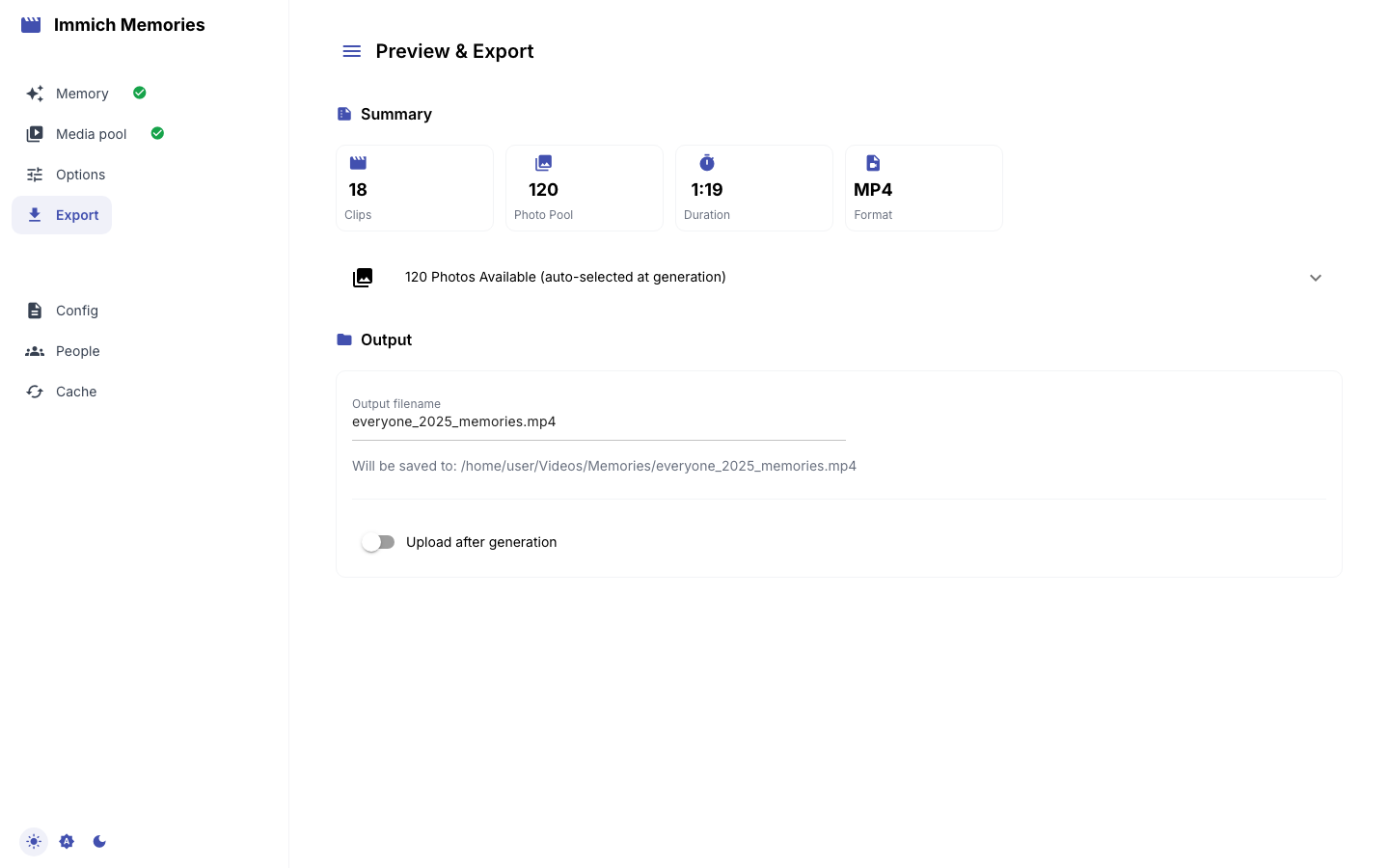
The render shows its progress the same way a cut does and survives a reload the same way. When it
finishes the film plays on the page, and Open the film run opens the render's own run. The file is in output.directory (~/Videos/Memories by
default), and every render is its own run, so an earlier film is never overwritten.
Runs
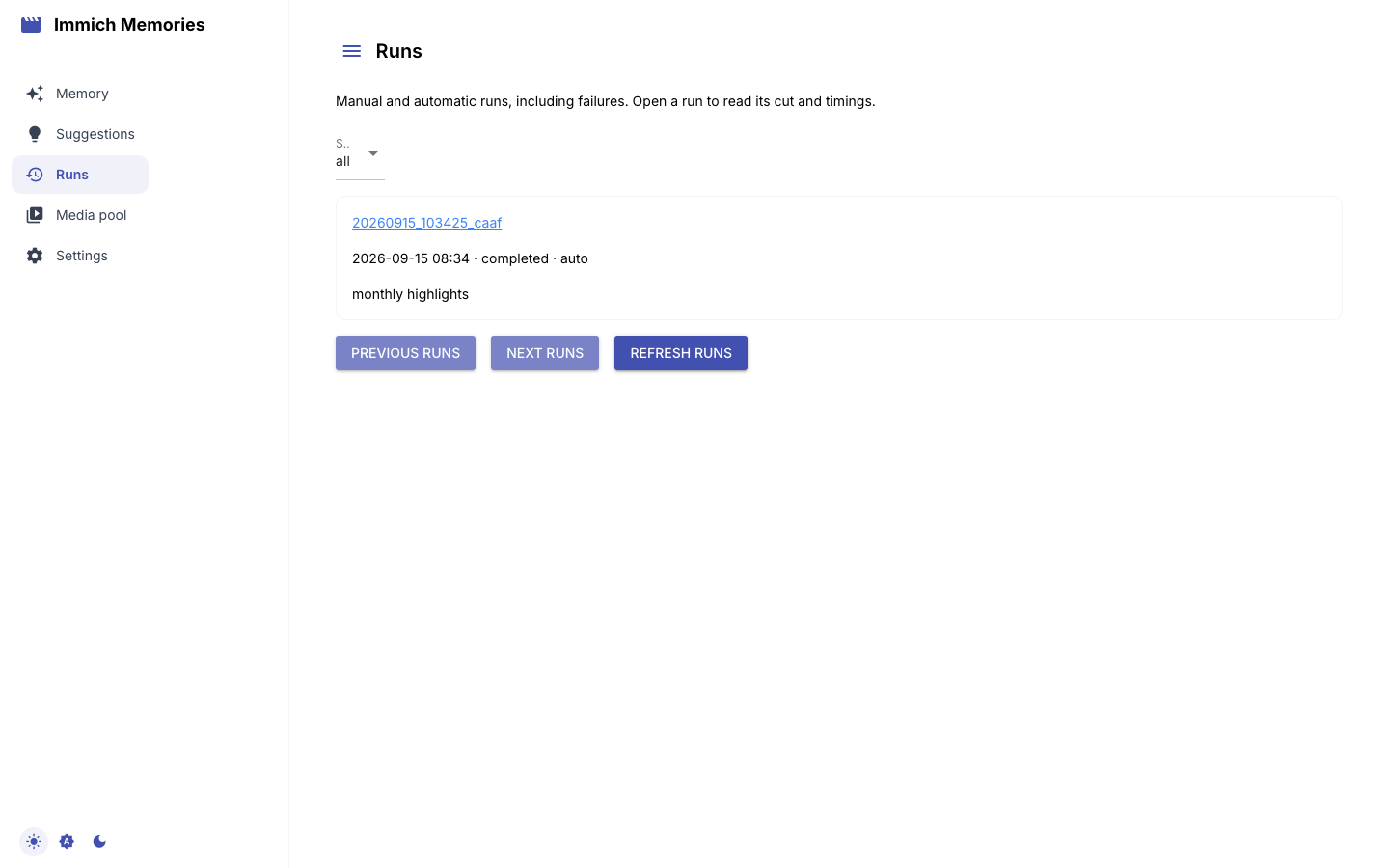
Runs lists every cut and render, manual and automatic, failures included, newest first: the same
database as immich-memories runs list. Each card shows the first pictures its cut plays, the memory
type, who started it (Manual, Scheduled or Automatic), its status and how long ago it
ran. The status buttons (completed, running, failed, cancelled, interrupted) filter the list, and older runs load as
you scroll. Open one to review it, render it again, or play its film.
If the run uploaded to Immich, its local file is removed once the upload is confirmed: the run record stays, and its page shows Delivered to Immich with a link to the asset instead of a player. A run kept local (upload off, or delivery still pending) still plays its film here.
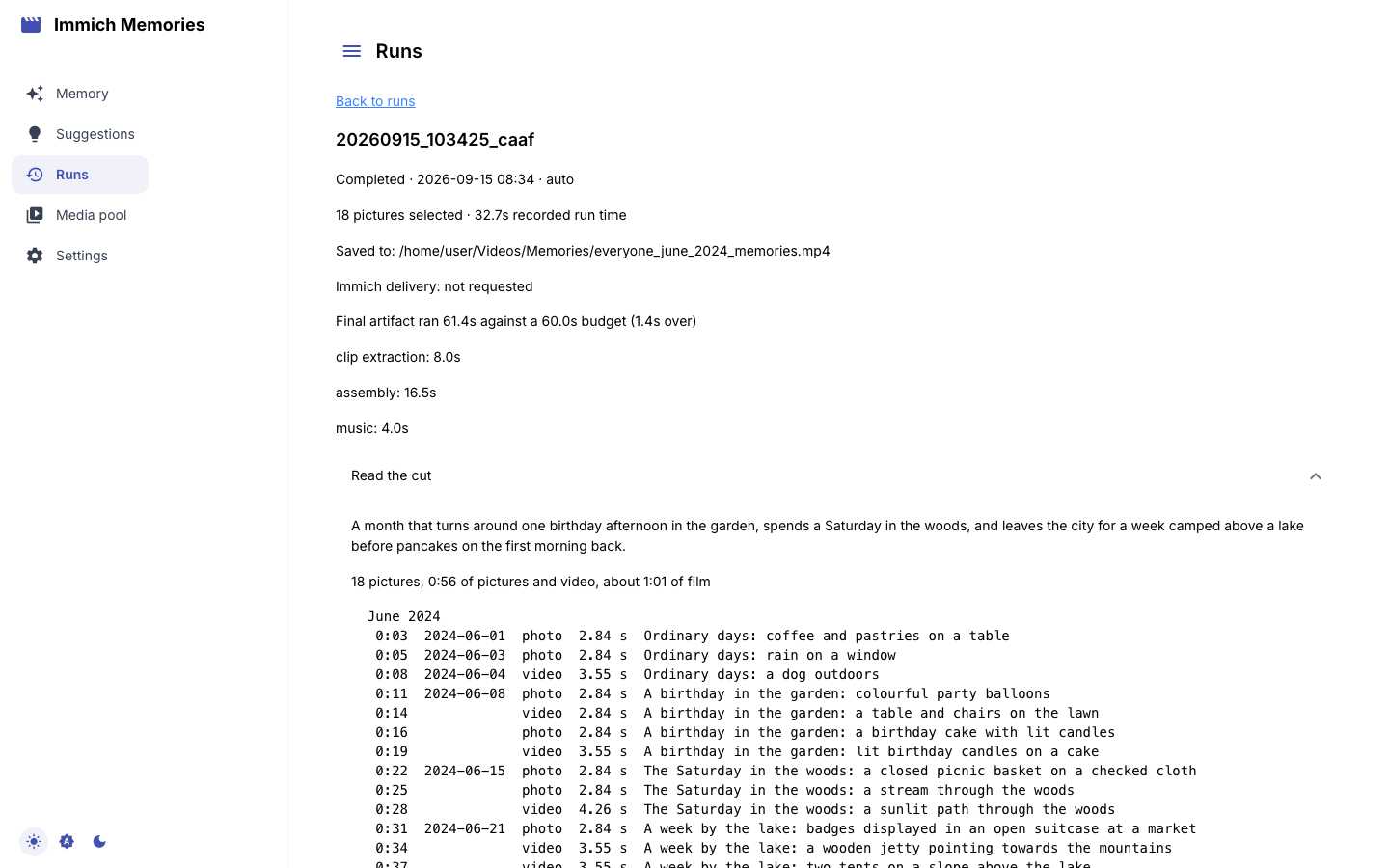
Under the review sit the run's output path, its Immich delivery, warnings and phase timings. A run's warnings include a low-disk notice on the output or cache volume, the same one automation sends over Apprise: see health, logs and caches. Download child output fetches the full output of an automatic run, credentials removed.
Copy report opens the same redacted report as immich-memories report, including logs, warnings
and timings. Read the preview, then copy it into an issue. Download report saves the ZIP
report --bundle writes (report.md, report.json and the whole redacted log), for a log too long to
paste. Nothing is sent automatically. On a
free-text run with flagged photos, Include captions of flagged photos adds only those captions
to the preview and the download; it starts off. Pictures are never included. Failed runs have reports too.
Suggestions
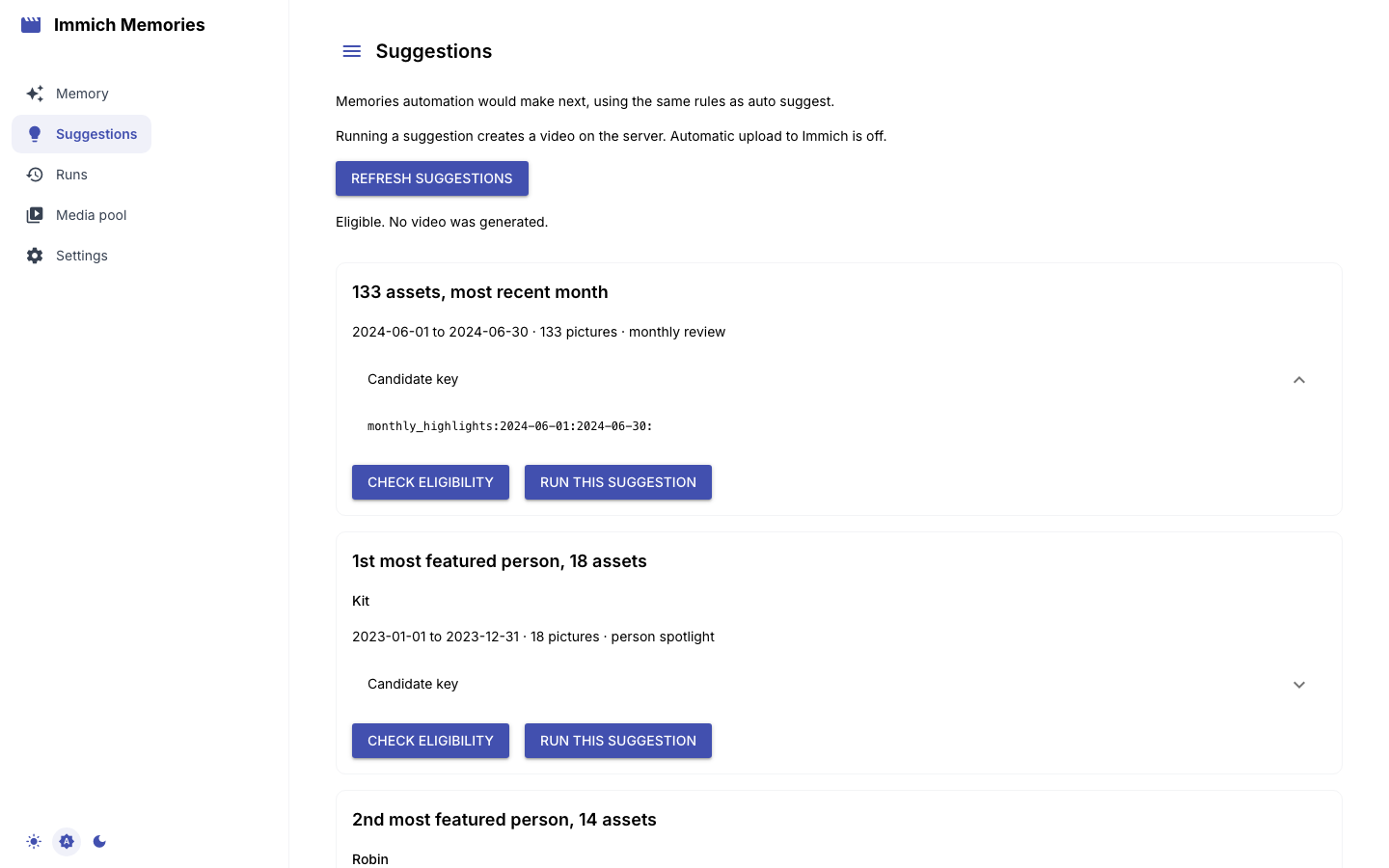
Suggestions shows what automation would make next, ranked as immich-memories auto suggest
ranks it: reason, dates and picture count per card. Candidate key shows the key
auto run --candidate takes, Check eligibility runs the checks without a render, and Run this
suggestion renders on the server after re-checking cooldown and repetition. Why other suggestions
were skipped names the rule behind each rejection. The list is kept for a day like the trips: it
shows at once with when it was worked out, and Refresh suggestions reads the library again. More on
Automate it.
Settings
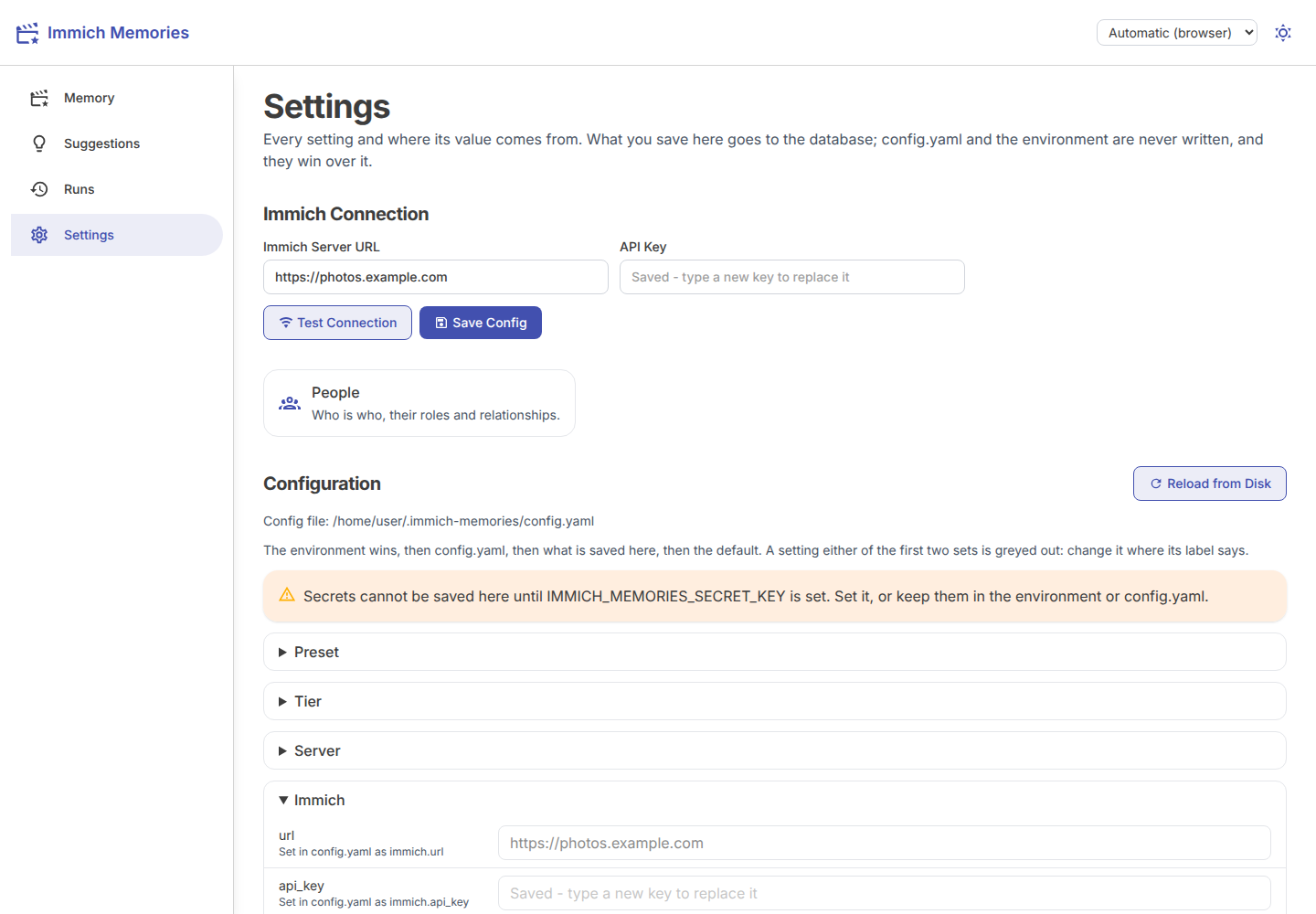
Immich Connection is the server and API key this install reads. The key field always loads empty:
the saved key stays on the server, and an empty field keeps it. Change the URL and you type the key
again, because a saved key only ever goes to the server it was saved for. Test Connection asks
the server who the key belongs to without saving. Save Config saves what you changed, and only
that, to the database. A URL or key the environment or config.yaml sets is refused with the name of
what sets it, and the key is a secret, so saving it needs IMMICH_MEMORIES_SECRET_KEY.
Configuration lists every setting, grouped by section, with its live value and where it comes from:
| Label | Source |
|---|---|
Set by IMMICH_MEMORIES_LLM__MODEL (environment) | an environment variable, named exactly |
Set in config.yaml as advanced.llm.model | config.yaml, named the way the file writes it |
| Saved here | the database, saved from this page or the CLI |
| Default | nothing set it |
The strongest source wins: environment, then config.yaml, then the database, then the default
(precedence). A setting the environment or
config.yaml sets is greyed out: saving under it would change nothing, so change it where the label
says, or move it out of the file with immich-memories config move-to-db KEY. Everything else is
editable, and each section's Save writes only the keys you changed, to the database. The page never
writes config.yaml or the environment. Lists and mappings are edited as JSON. Reload from Disk
re-reads the file (its path is shown as Config file) after a hand edit.
Any key named api_key, api_keys, caption_api_key, client_secret, password, secret, token,
trigger_token, worker_token or urls is a secret: it shows as ***, masked on the server, and an empty field
keeps the stored value. Secrets are encrypted in the database with IMMICH_MEMORIES_SECRET_KEY;
without it the page greys them out and says "Secrets cannot be saved here until
IMMICH_MEMORIES_SECRET_KEY is set". That is fine if your keys already come from .env or
config.yaml. To save them here, generate a key with openssl rand -base64 32 and set it in the
environment; on Docker that is one line in .env, which the compose file passes through
(The secret key). A secret marked "Saved here, but
IMMICH_MEMORIES_SECRET_KEY cannot decrypt it" was saved under a different key: the default is in use
until you save it again. Every key:
configuration reference.
Caches lists the two caches a run fills, with their size and a Clear button each.
| Cache | Holds | Cost of clearing |
|---|---|---|
| Video cache | downloaded source videos | re-download from Immich; evicted on its own anyway |
| Thumbnail cache | Immich previews, read back for pixel facts, heads, contact sheets and the grid | re-fetched on demand |
The expensive thing on disk is not behind those buttons. The editor's bank lives in the store
(store.db), not under the cache directory, and holds every fact it read about your pictures.
Delete it and the next cut reads your library from scratch. More on Health, logs and caches.
People: who is who
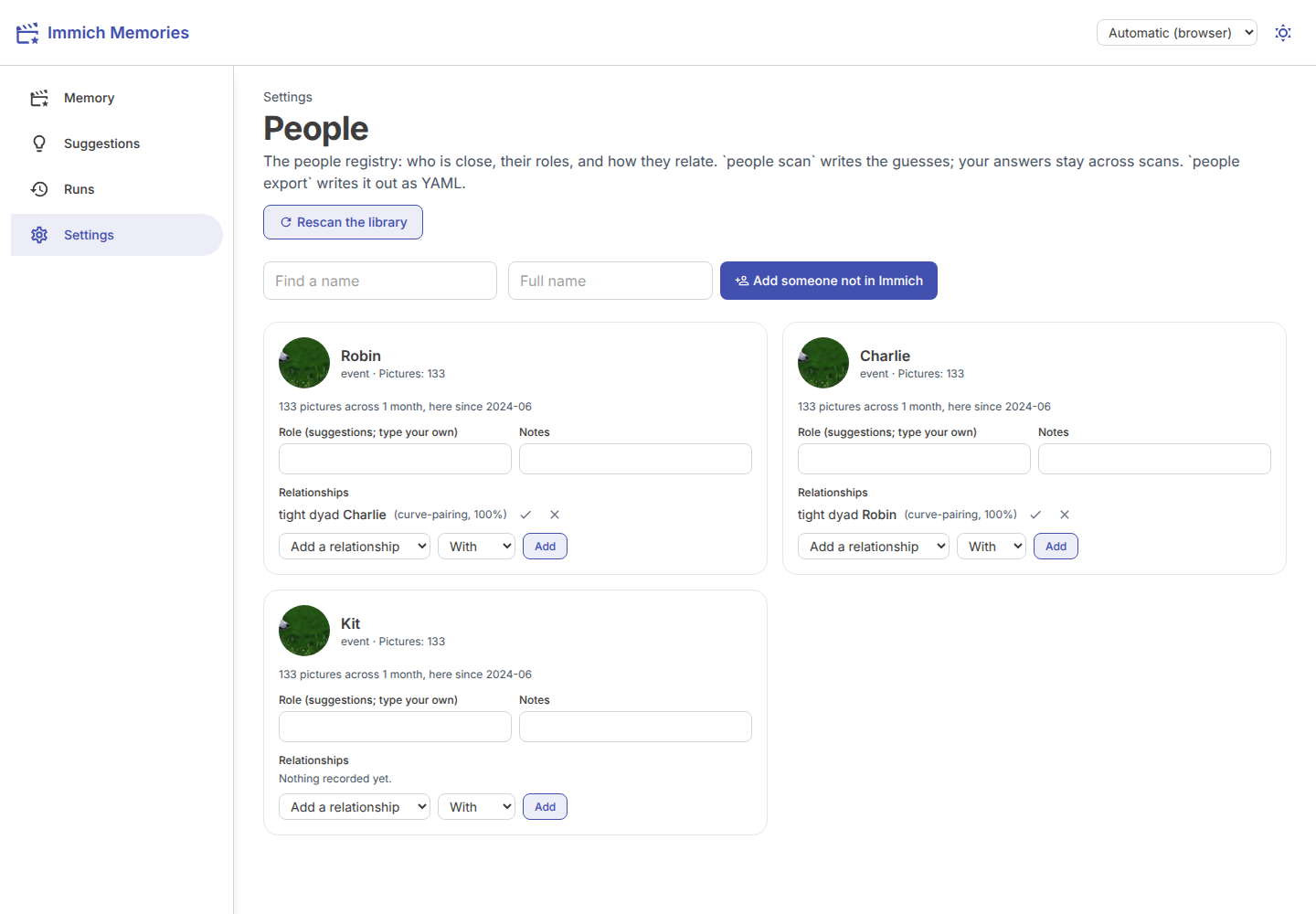
People edits the people registry in the store, the one immich-memories people
writes and people export writes out as YAML. It is what turns "people in the picture" into "your family" for the editor: the family seat
and big stories read it (Teach it your family).
Rescan the library runs people scan, which reads each named person's picture count and month
curve from Immich, never a pixel. What the scan infers is recomputed each scan; what you confirm
stays. Each person shows their picture count and what the scan made of them. Three things are yours:
a Role (pick a suggestion or type your own), Notes, and Relationships (Yes, that is
right confirms, No, they are not rejects). Add a relationship records one the scan missed;
Add someone not in Immich adds a person with no face record. Find a name filters the list.
Curation lists what only Immich can fix: two records with one name, or one person split across records.
With a second Immich account configured, each person also has an Accounts section: the ids they
answer to, by the account that reads them, the same declaration immich-memories people bind makes.
Pick the account and type their id as that account's Immich knows them, then Bind. Binding only
adds the id: the name, birth date and everything you confirmed stay as they are, and an id already
bound to somebody else is refused, never merged. Binding the same id to the same account again does
nothing.
Saved groups, above the people list, is where a reusable people condition gets a label: type a
label and an expression in the --people-expression grammar (quoted canonical ids, AND/OR,
parentheses), then Save group. A malformed expression saves nothing. The label then shows as a
card on the New memory page, and generate --group LABEL resolves it the same way. Remove drops
the label only; it never touches the people it names.