Try the demo
For: anyone curious, before installing anything for real. At the end: wow-stats runs on your computer with five made-up characters, you’ve seen the page, the two sites for friends, and (if you use Claude Code) your assistant answering from the demo data. About 10 minutes.
You need Docker (Docker Desktop on Mac and Windows,
started once so it says “Engine running”) and a copy of this repository: git clone it, or
download a release’s source zip and unpack it. No game, no account.
1. Start the page
Section titled “1. Start the page”From the top of your copy (the folder with README.md in it):
cd deploy/composecp .env.example .envOpen .env in any text editor and set INGEST_PASSWORD to anything of 12 characters or more.
The demo doesn’t use it, but nothing starts without it. No internet on this machine, or a
small one? Also set MODEL3D=off and WOW_ITEMS=off (no 3D view, no item icons; the
pages still work).
Then start the page. The first time builds the image from your copy, a minute or two:
docker compose up -d --build ui2. Load the demo characters
Section titled “2. Load the demo characters”Mac, Linux, or Git Bash on Windows:
docker compose exec -T ui python - --vl http://victorialogs:9428 < ../../dev/seed.pyPowerShell:
Get-Content ..\..\dev\seed.py -Raw | docker compose exec -T ui python - --vl http://victorialogs:9428It prints:
1831 events into http://victorialogs:94283. Look around
Section titled “3. Look around”Open http://127.0.0.1:8080/. The character list at the top has five characters, each with a DEMO DATA banner:
- Testchar-Demo: a Gnome priest who goes from level 22 to 32 over six evenings. Open this one.
- Testalt-Demo: a level 11 alt with almost nothing, to see the empty states.
- Testhunt-Demo, Testgun-Demo, Testsky-Demo: three characters dressed for the 3D view.
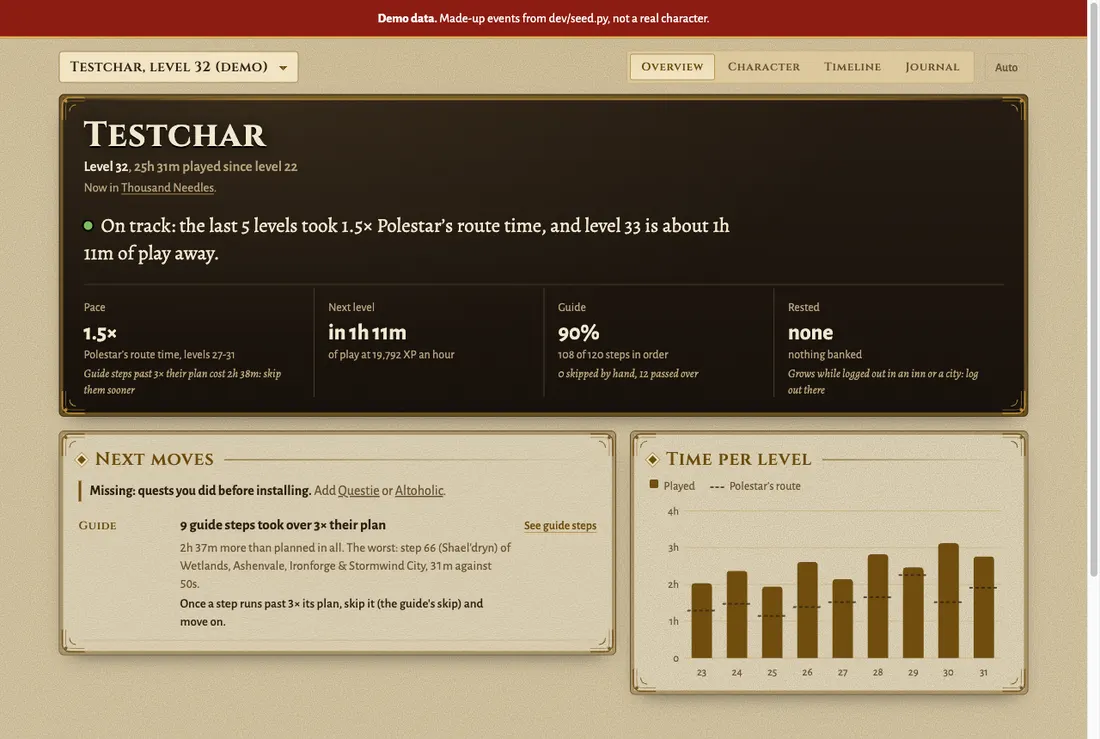
Your page, tab by tab explains each tab.
Port 8080 already taken on your computer? docker compose up says port is already allocated. Set UI_PUBLISH=127.0.0.1:18080 in .env, run step 1’s command again, and open
http://127.0.0.1:18080/.
4. See the sites for friends
Section titled “4. See the sites for friends”The full view on 8080 is yours. Friends get static copies, rebuilt after each play session: a public one and a sealed one. Start the two services that build and serve them:
docker compose up -d publish siteGive it a minute (watch docker compose logs -f publish until it says it built), then open
http://127.0.0.1:8081/: the public site, with only the parts anyone may see. The sealed site
needs its key in the link; print it with:
docker compose run --rm publish zogzog-key linkIt prints a link like http://127.0.0.1:8081/zogzog/#<43 characters>. Open it: the same page
with the journal, gear advice and prices. Open it without the part after #, and it says
“Nothing here.” Share your page explains the two sites.
5. Ask your assistant (Claude Code)
Section titled “5. Ask your assistant (Claude Code)”With Claude Code on this computer, still in
deploy/compose:
claude mcp add wow-stats -- docker compose -f "$PWD/compose.yaml" exec -T ui wow-stats mcp-stdioThen in Claude Code: “With wow-stats, which level took Testchar-Demo longest, and how much of it was in a dungeon?” It should come back with level 30, about 3 hours, 44 minutes of it in Scarlet Monastery: Library. Other assistants: Connect your AI.
6. Clean up
Section titled “6. Clean up”docker compose down -vThat removes the containers and the demo data. claude mcp remove wow-stats removes the
Claude Code entry.
- Install it for real: the server, the addons and the program on the computer you play on.
- Run it on a server: a homelab box with HTTPS, a login, and friends.